Updated May 20, 2026
May 20, 2026
Showit vs Squarespace for Photographers: Which Is Actually Better in 2026?
Most Showit vs Squarespace articles are written by Showit design partners with templates to sell. This one isn't. After 12+ years in SEO and 110+ photographer websites, here's the honest breakdown of which platform actually serves which photographer — and the SEO trade-offs nobody else talks about.
If you're a photographer trying to choose between Showit and Squarespace, you've probably already read five articles that all conclude with the same answer: Showit wins, build with Showit, here's a link to my ShowIt templates.
Most of those articles are written by Showit Design Partners. They sell Showit templates. They build Showit sites. They have a financial reason to recommend Showit. That doesn't make them wrong, but it's worth knowing where they're coming from.
I'm coming from somewhere different. I've been doing SEO professionally since 2014. I build photographer websites on both Showit and Squarespace. I've worked on 110+ photographer sites across 15+ platforms. Full transparency: I'm a Showit affiliate, but there are no affiliate links in this article and I'm not being paid by either platform to write it, both are great options for different reasons. I have no financial reason to push you toward one or the other in this comparison. What I do have is a clear view of which platform actually serves which kind of photographer, and the SEO trade-offs that nobody else seems to talk about.
Here are my thoughts on who each is for, then we'll get into why.
The short version
Squarespace is the better choice for photographers who want a beautiful, professional website without thinking about it too much. The platform makes most of the decisions for you, which is a feature, not a flaw.
Showit is the better choice for photographers who want full control over their design and SEO, and who are willing to put in more time to get it. The platform gives you creative freedom. You can use it to build something incredible if you have the skills and patience to learn it, but it comes with its own flaws and issues.
The deciding factor is rarely "which is better." It's how much control you actually want, how serious you are about your business, and how much time you're willing to put into managing your own website. Most photographers in years 0-2 of their business will be very happy with Squarespace. A lot of photographers building for the long term eventually move to Showit. Some never need to move at all... In all honesty I think photographers should be out marketing and meeting people rather than re-doing their site for the 19th time...
Let me show you the trade-offs.
Quick comparison
| Showit | Squarespace | |
|---|---|---|
| Design freedom | Full pixel-level control | Template-based, limited |
| SEO control | Full, with WordPress plugins | Good defaults, less customization |
| Blogging | WordPress (more powerful, more setup, more complicated) | Built-in (simpler, less flexible) |
| Mobile control | Separate mobile canvas - requires work for every change you make | Auto-generated from desktop, can be tricky at times to get right |
| E-commerce | Third-party integration needed, complicated | Built-in |
| Learning curve | Steeper | Gentler |
| Realistic monthly cost | ~$39 (with blog) | ~$23 (Business plan) |
| Best for | Serious, long-term photography businesses who need complete design control and robust capabilities | Early stage photographers and those selling products. Anyone looking for ease of use and simplicity |
Design freedom and templates
This is the single biggest functional difference between the two platforms, and it's where most photographers make their decision.
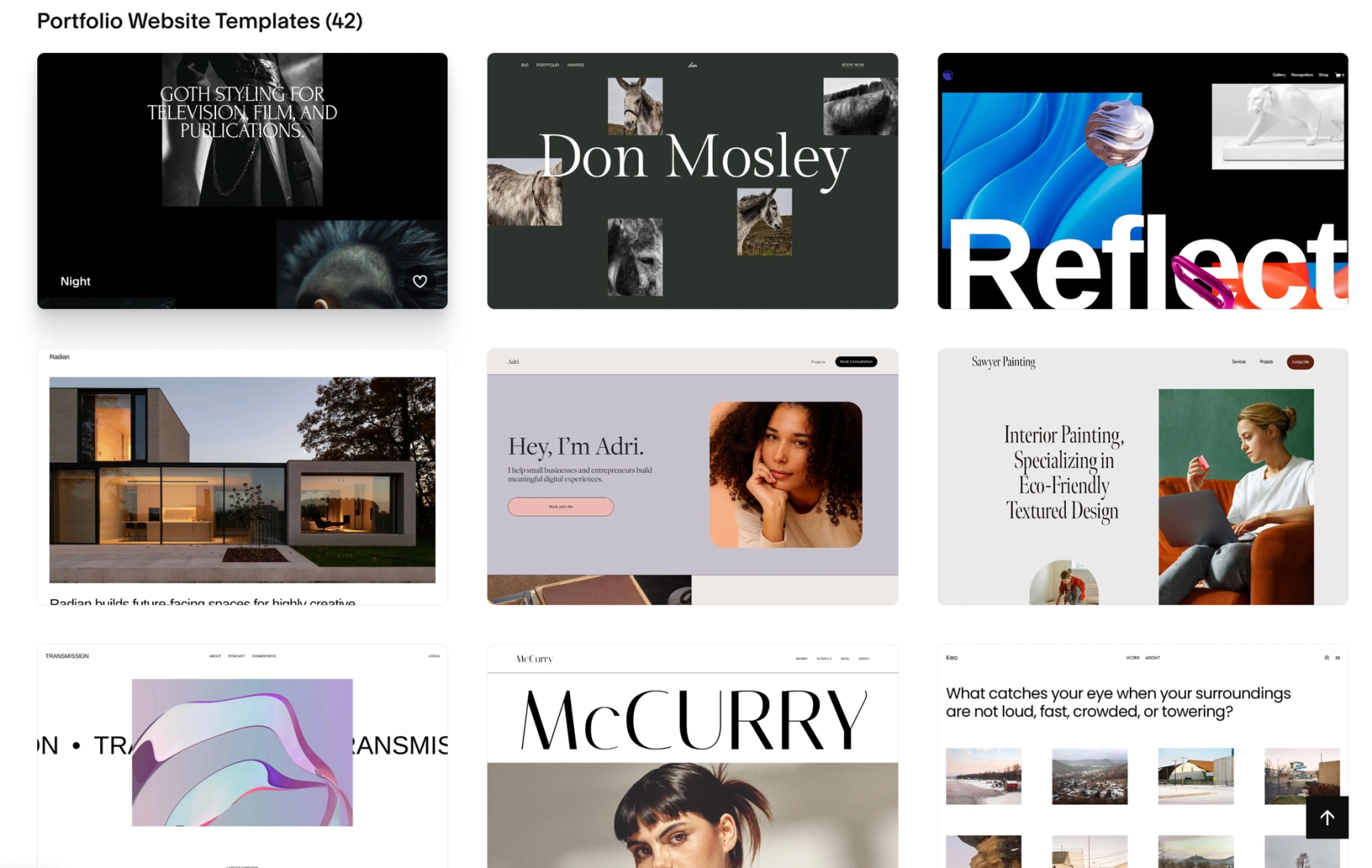
Squarespace gives you beautiful templates and limited ability to modify them. You can change colors, fonts, and content, but the underlying structure stays put. You can't drag a heading to a custom position. You can't overlap elements. You can't break out of the grid. The Fluid Engine editor (Squarespace's newer page builder) gives you more freedom than the old version, but you're still working inside guardrails.
That's not a bad thing. Squarespace's guardrails are why their templates look professional even when the person building them has no design experience. You can launch a Squarespace site in a weekend and it will look better than most photographer websites on the internet. That's a real win.
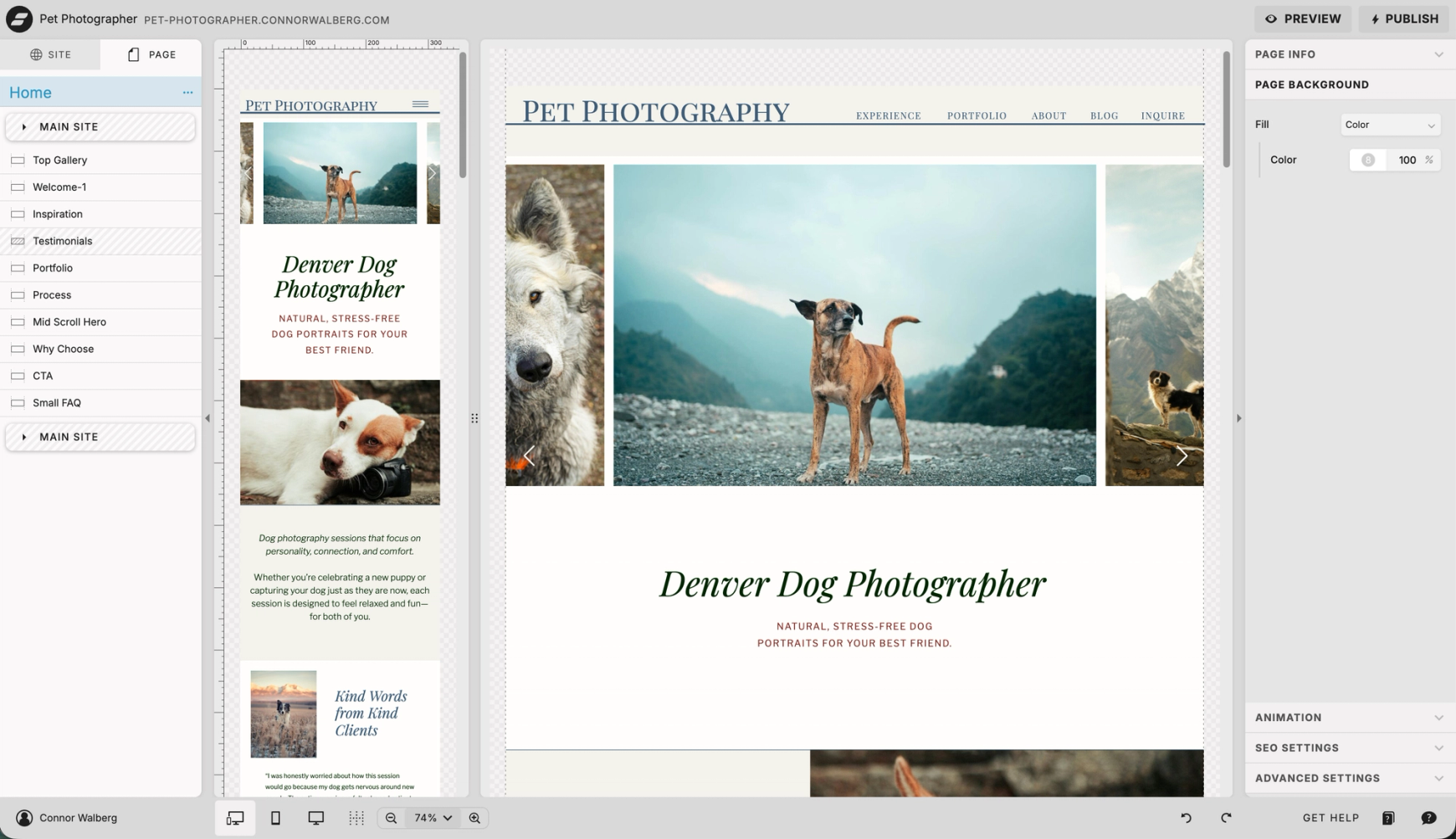
Showit has no guardrails. You can place any element anywhere. Stack layers, overlap images, create animations, design unique layouts that aren't possible in Squarespace. The platform behaves more like Photoshop than a website builder. Photographers who think visually find this freeing. Photographers who don't find it overwhelming.
The honest reality: design freedom is a tool, not a virtue. Most photographers who use Showit produce sites that are actually less effective than a good Squarespace template, because they don't know what to do with all that control. The photographers who get the most out of Showit are the ones working with a designer or willing to learn how to design themselves.
Verdict: Showit gives you more control. Whether that's an advantage depends on whether you'll use it.
SEO comparison
This is the section where most comparison articles get lazy. They say something like "both platforms have good SEO settings" or "Showit wins because of WordPress" and move on. There's a lot more to it than that.
What both platforms get right
Both Showit and Squarespace give you control over the SEO basics. Page titles, meta descriptions, image alt text, heading tags. Both generate sitemaps automatically. Both integrate with Google Search Console. Both can rank for competitive photography keywords. If your content is solid and you do the technical work, either platform can put you on page one.
If you want a foundational understanding of what SEO actually involves for a photography business, my complete guide to SEO for photographers covers the universal principles that apply on either platform.
Where Showit has the SEO edge
Showit's blog runs on WordPress, which gives you access to plugins like Yoast SEO and Rank Math. These are professional-grade SEO tools that no other website builder can match. They give you readability analysis, schema markup automation, internal linking suggestions, redirect management, and dozens of other features that genuinely improve your SEO workflow.
Showit also gives you full control over heading tags independent of visual styling. You can have a small, elegant H1 that doesn't look like a giant headline, which is helpful for design-led photographer sites. The platform supports custom HTML and JSON-LD schema injection without much fuss.
If you're planning to blog seriously — venue posts, location guides, wedding stories, vendor recommendations — Showit gives you the better infrastructure for that. It also tends to run faster depending on how you build your pages and image optimizations.
Where Showit makes SEO harder than it should be
Showit's design freedom is also its biggest SEO liability. Because heading tags are decoupled from visual formatting, most Showit sites I audit have a complete mess of heading hierarchy. Multiple H1 tags, decorative H2s, body text tagged as H3 because the designer wanted it slightly larger. The platform won't stop you from doing this, and most photographers and even most Showit designers don't realize they're doing it.
There are also hidden canvas issues (mobile and desktop versions both load and both get crawled), and a trailing slash migration problem that can tank your existing rankings if you don't handle it correctly. I cover all of this in detail in Is Showit Good for SEO? An SEO Pro's Honest Take. The short version: Showit can absolutely rank, but you have to actively manage things the platform won't manage for you.
Where Squarespace has the SEO edge
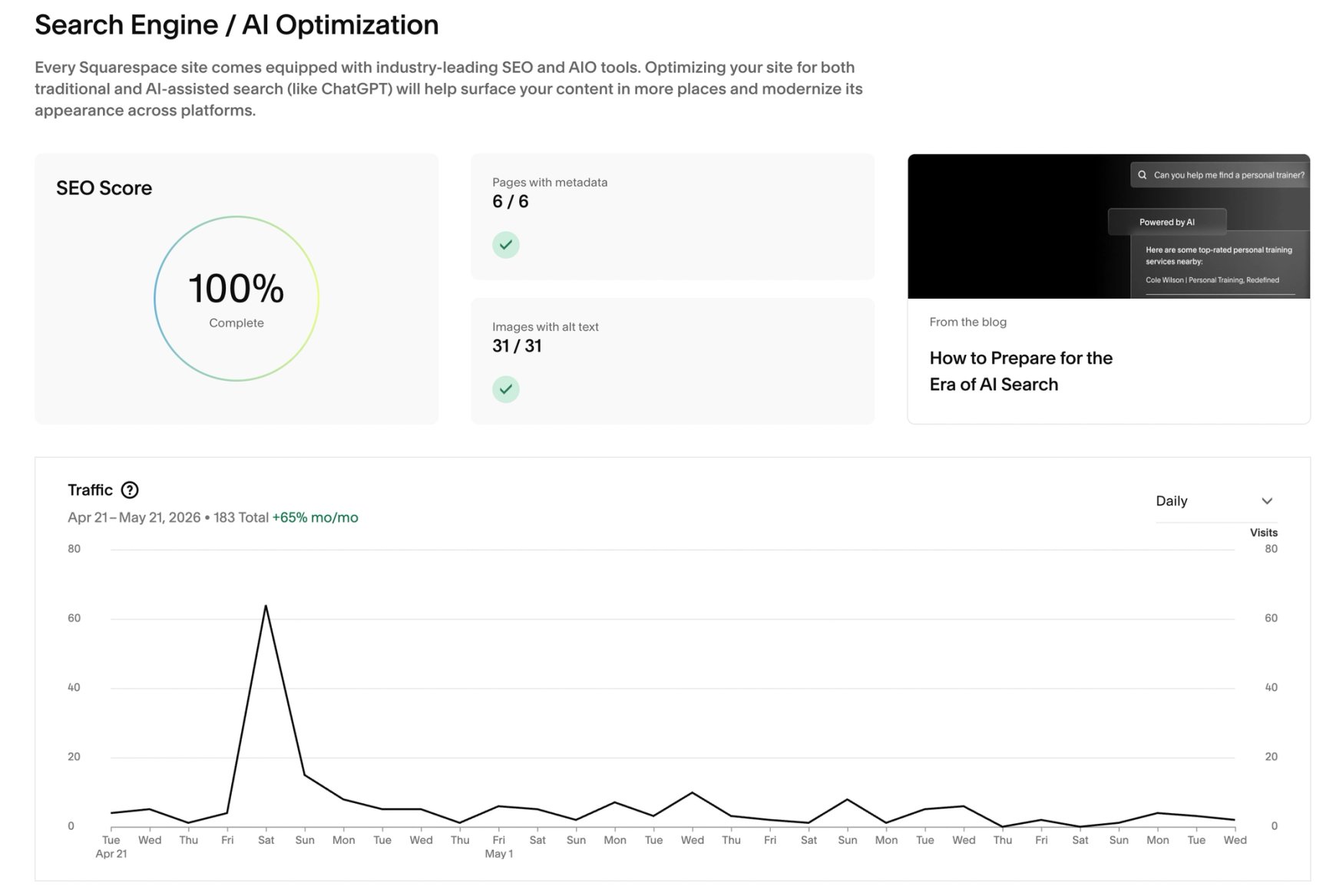
Squarespace handles more of the SEO basics automatically. Your sitemap, your basic schema markup, your mobile responsiveness, your image compression — Squarespace does these things in the background. You get a clean SEO baseline without having to think about it.
Squarespace's editor also enforces some structural decisions that protect you from yourself. Heading tags are tied to visual styling (H1 is big, H2 is medium, etc.), which is a limitation, but it also means you can't accidentally tag a footer link as an H1. The training wheels are sometimes limiting, but they prevent specific kinds of damage.
Where Squarespace makes SEO harder than it should be
Here's the thing nobody talks about: Squarespace's newer Fluid Engine editor has a real, documented SEO problem. When you add a block to a Fluid Engine section, that element gets placed in the HTML in the order you added it, not where it sits visually on the page.
That means if you build a section by adding the image first, then the paragraph, then the H1 heading, and you drag the H1 to the top visually, Google still reads the page in the order: image, paragraph, heading. Your H1 appears third in the HTML, even though it's at the top of the page.
This is confirmed by multiple Squarespace experts and isn't a theory. It also affects accessibility because screen readers follow the same HTML order as Google. A workaround exists (editing and saving the mobile view reorders blocks based on position), but most Squarespace users don't know about the issue, so they don't know to apply the fix.
Squarespace also gives you less granular control over font sizing within heading tags. If you want an H1 that looks small for design reasons, you'll need custom CSS to break the platform's defaults. That's solvable, but it's much more difficult.
Site speed and Core Web Vitals
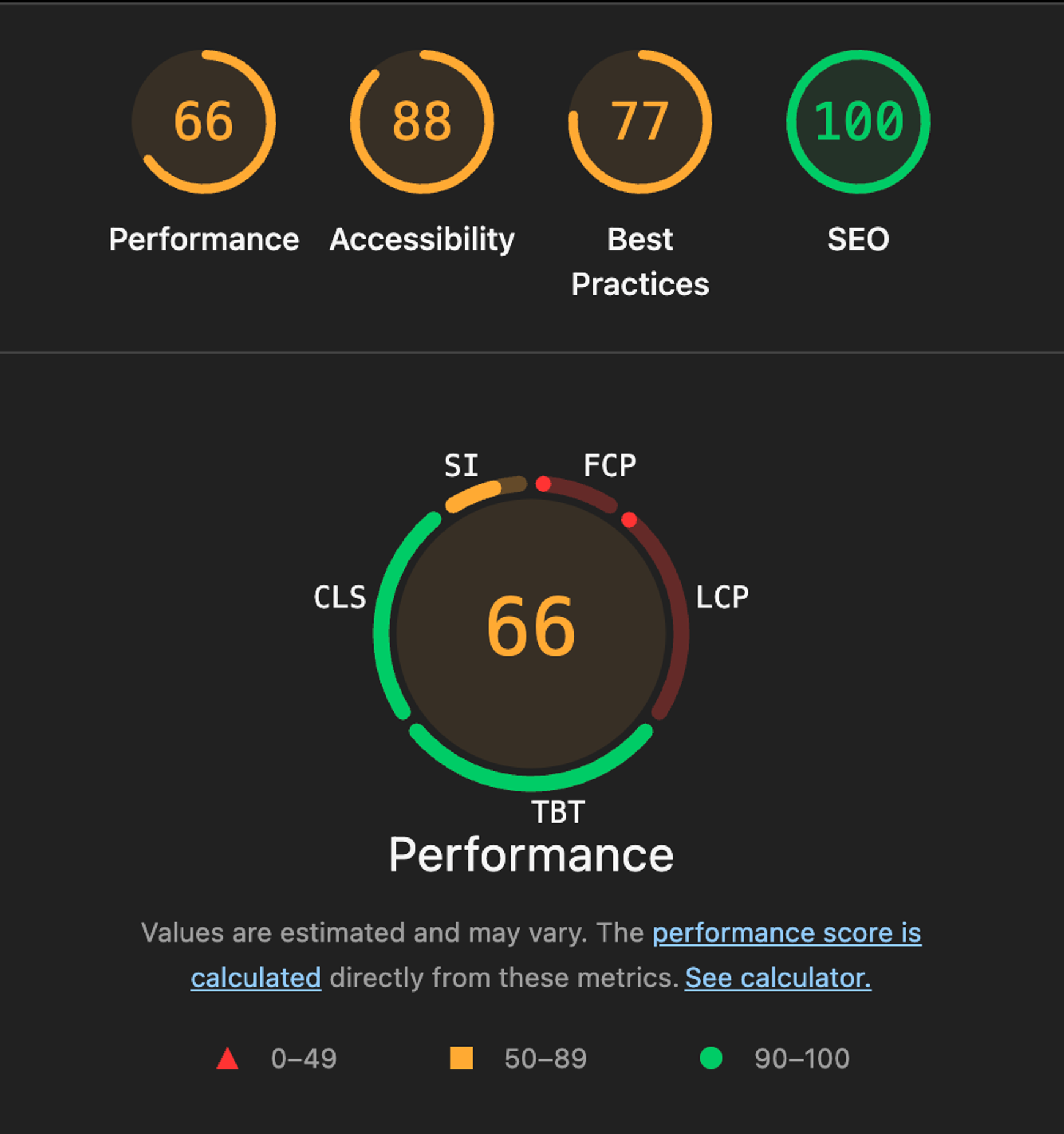
Both platforms can produce fast or slow sites depending on how you build them. Squarespace handles image optimization more aggressively in the background. Showit gives you more control over caching and image delivery but more responsibility too. Most performance problems on either platform come from uncompressed images and excessive fonts, not the platform itself.
One photographer I respect, Paige Brunton, famously migrated 500+ blog posts from Squarespace to Showit specifically to test the SEO claims. Her result: no measurable difference in traffic or rankings. The platforms are roughly equivalent in raw ranking ability. Implementation matters far more.
The honest SEO verdict
Showit has a higher ceiling and a lower floor. With the right setup, you can build a more SEO-optimized site on Showit than on Squarespace. With the wrong setup, you can also build a worse one. The platform demands more from you.
Squarespace has a narrower range. Your worst Squarespace site will be better than your worst Showit site, and your best Squarespace site won't be quite as optimized as your best Showit site. The platform protects you from disasters at the cost of some flexibility.
If you're not sure which keywords to even target on either platform, start with my guide to SEO keywords for photographers before you commit to a platform decision. The keyword strategy is the same regardless.

Blogging
This is the biggest functional difference after design freedom, and it deserves its own section because so many photographers underestimate how much blogging matters for SEO.
Squarespace's blog is built into the platform. You write a post, hit publish, done. The editor is clean. The SEO settings are right there. There's no second platform to log into, no plugins to install, no integration to manage. For a photographer who just wants to write occasional blog posts, this is genuinely easier.
Showit's blog runs on WordPress. That's a separate platform with its own login, its own settings, its own learning curve. The Showit team handles the integration so your blog matches your main site visually, but you're logging into WordPress to actually write and publish. Setup takes a few days because you need the Advanced Blog plan and a Showit team member to set up the connection.
The trade-off is real. Squarespace blogging is easier. Showit blogging is more powerful. But you can still rank well with either...
If you're going to blog seriously — and most photographers should since blog content is where you rank for long-tail searches like "Denver wedding venue X" or "what to wear for a family photo session" — the WordPress side of Showit gives you tools that Squarespace can't match. Yoast SEO. Rank Math. Custom schema. Internal linking analysis. Hundreds of plugins for everything from related posts to image optimization. If blogging isn't part of your strategy, this advantage doesn't matter. But you should know that strong blog content is also where most photographers earn the backlinks that drive their rankings up. I cover the link-building side of this in my guide to backlinks for photographers.
Verdict: Squarespace wins for casual blogging. Showit wins for serious blogging. Be honest about which one you'll actually do.
Mobile and responsive design
Over 60% of photography website traffic is mobile. The mobile version of your site matters as much or more than the desktop version. Both platforms approach this differently.
Squarespace generates the mobile version from your desktop design automatically. You don't have to think about it. The result is usually fine, sometimes great, occasionally awkward. You have limited ability to customize mobile-only changes without CSS.
Showit lets you design a completely separate mobile canvas. Every element can be moved, resized, hidden, or rearranged for mobile specifically. This is powerful if you have the time to use it well. It's also a major source of SEO problems if you don't.
The control is real, but it comes with real responsibility. Most Showit sites I audit have at least one mobile canvas issue — filler text in a hidden section, broken layout that no one noticed, content that's inconsistent between desktop and mobile views.
Verdict: Squarespace wins for ease of use, but Showit gives you more mobile control. Whether that helps you depends on whether you'll actually use the control to build a better mobile experience, or whether you'll just have two sites to maintain instead of one.
E-commerce
If you sell prints, presets, guides, courses, or any digital or physical products, this section matters a lot. If you only sell photography services, you can skip it.
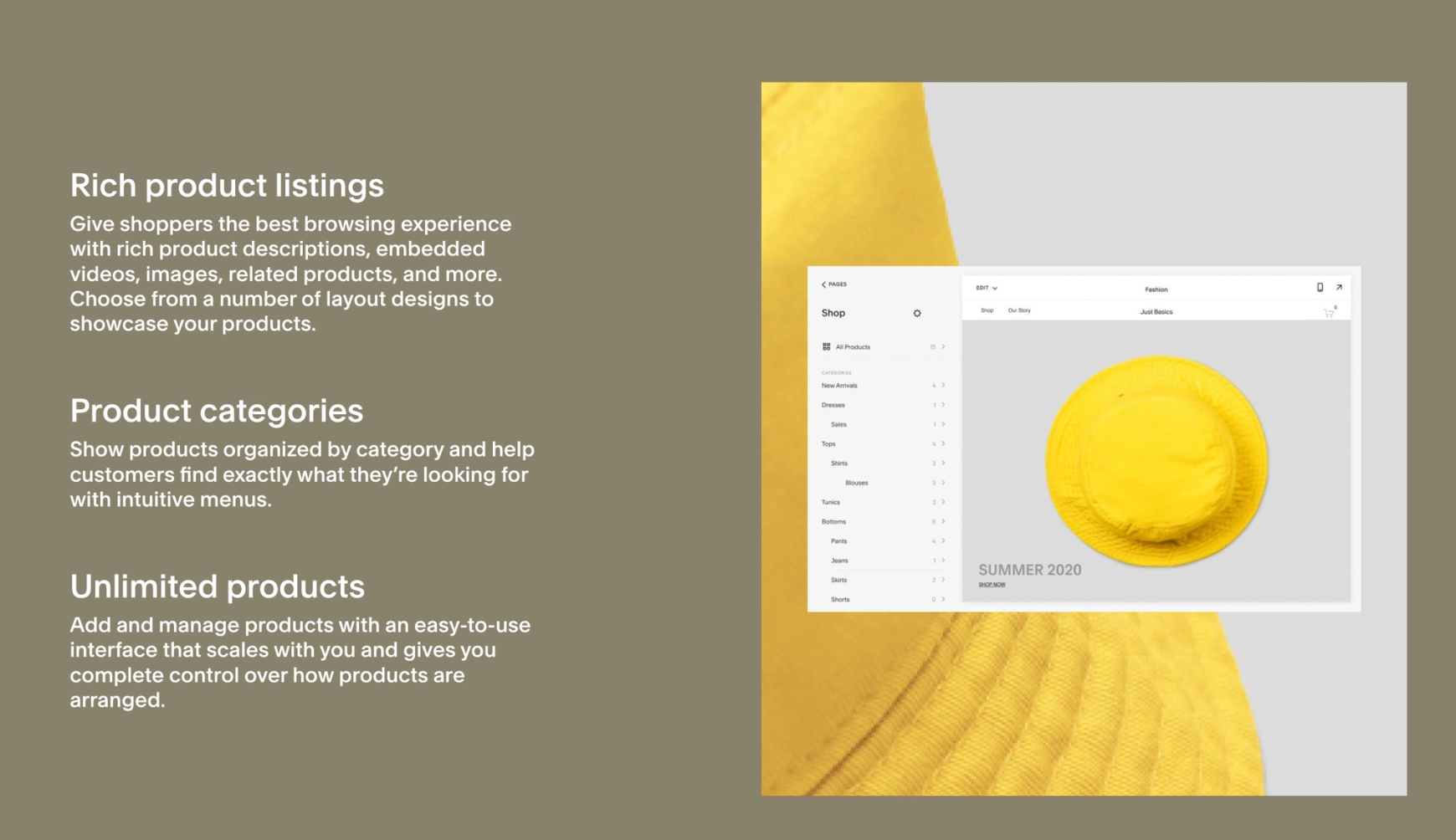
Squarespace has built-in e-commerce. Product pages, shopping cart, checkout, inventory management, customer accounts, basic shipping logic. All native, all simple. The transaction fee is 3% on the Business plan, 0% on Commerce plans. For photographers selling digital products like presets or educational guides, Squarespace handles everything you need without third-party tools.
Showit doesn't have native e-commerce. You integrate Shopify Lite (~$9/month) for basic shop functionality, or you set up WooCommerce on the WordPress side for more complex needs. It works, but it's another platform to manage and another learning curve.
This isn't a deal-breaker for most photographers, but it's a real cost in time and money if you're serious about product sales. For some photographers (educators selling courses, photographers building a product line) it's the single biggest factor in the decision.
Verdict: Squarespace wins clearly for e-commerce. If product sales are central to your business, this might be the deciding factor.
Pricing reality
Most comparison articles compare base tier pricing and miss the real-world costs. Here's what you'll likely pay for your photography website.
Squarespace's Personal plan starts at $16/month annually but doesn't include enough for a serious business site. The Business plan at $23/month is the realistic starting point and includes a domain free for the first year. Commerce plans run higher if you're selling significant products.
Showit's base plan is $24/month with no blog. Almost no serious photographer should stay on this tier, because the blog is where the SEO returns come from. The Advanced Blog plan at $39/month is the realistic starting point for photographers who plan to grow. You'll also need a domain separately (typically $12-15/year through Google or Namecheap) and probably a Yoast SEO subscription if you want the premium features (free version is plenty for most photographers).
So a realistic monthly comparison is roughly $23/month for Squarespace Business vs $39/month for Showit Advanced Blog. About $16/month difference, or $192/year. That's real money but it's not a deal-breaker for a working photography business.
The more important pricing question is what you'll spend on the site itself. A Squarespace template plus a few hours of your time can produce a good-looking site for almost nothing. A Showit custom built site through a designer typically runs $3,000-$8,000+. A high-end Showit build with strategy and SEO baked in can run $10,000+. Templates exist on both sides, but Showit benefits more from professional design.
Verdict: Squarespace is cheaper monthly and the DIY path is more accessible. Showit costs more both monthly and upfront, but the ceiling on what you can produce is higher.
If you're already on one and thinking about switching
Most articles that cover migration treat it as straightforward. "Just export your content, set up the new site, switch your domain." That's technically accurate and practically dangerous if you have any SEO equity in your existing site.
Here's what nobody warns you about: platform migrations can silently destroy years of SEO work if you don't handle URL structure correctly.
When I migrated my own site to Showit from another platform, my old URLs all had trailing slashes. Showit's URLs don't. The old URLs 404'd because Showit didn't automatically create redirects, and my rankings tanked while Google watched its indexed URLs disappear from the internet. The fix had to happen through the WordPress redirect plugin that Showit pre-installs. It took weeks for rankings to recover, and some pages never fully did. I tell the full story in Is Showit Good for SEO? because it's the kind of migration mistake nobody talks about until it's already happened to you.
If you're considering switching platforms, here's the framework:
- If your current site has been indexed by Google for less than 6 months and isn't ranking for anything significant, the migration risk is low. Switch if it makes sense for your business.
- If your current site has been indexed for over a year and is ranking for keywords that drive bookings, the migration risk is real. You need a careful plan that includes URL mapping, 301 redirects, sitemap submission for both old and new structures, and post-migration monitoring in Google Search Console.
- If your current site is your primary lead source and you're not technical, hire help. The cost of a botched migration is significantly higher than the cost of professional support.
Don't migrate just because someone told you the other platform is better. Migrate because the other platform serves your business better and you've planned how to protect your existing SEO rankings in the process.’
Who should choose Squarespace
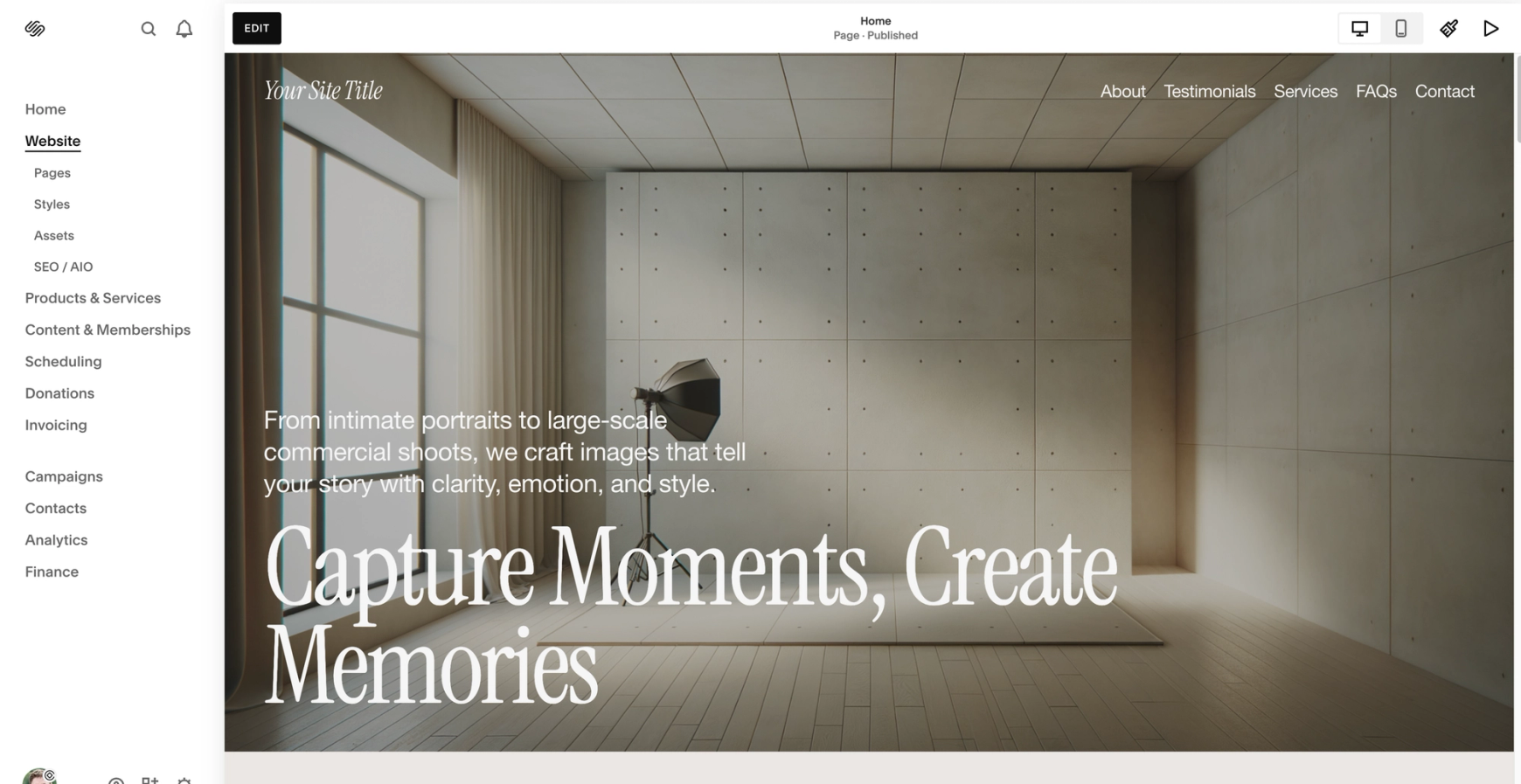
Squarespace is the right choice for you if:
- You're in the first two years of your photography business and need a beautiful site fast
- You sell prints, presets, courses, or digital products as a significant revenue stream
- You don't plan to blog seriously, or you'll blog occasionally and don't mind that it's a bit limited
- You value all-in-one simplicity and don't want to manage two platforms
- You're not technically inclined and want the platform to handle the technical decisions
- Your budget is tight and you need lower monthly costs
- You want to build the site yourself without hiring a designer
There's no shame in any of this. Plenty of successful photographers run their entire business on Squarespace and never need anything more. The platform is fine. It will not hold you back.
Who should choose Showit
Showit is the right choice for you if:
- You're past the first two years and your photography business is serious and growing
- You plan to blog deeply for SEO (venue posts, location guides, wedding features, vendor recommendations)
- Your brand requires unique design that templates can't deliver
- You're comfortable managing two platforms, or three if you add e-commerce (Showit + WordPress)
- You want the higher ceiling on SEO and design, and you're willing to put in the work to use it
- You're working with a designer or willing to invest time in learning the platform yourself
- You're not selling products as a major revenue stream (or you're fine with third-party integration)
Showit rewards the photographers who invest in it. If you build a great site and treat it as a long-term asset, Showit gives you more room to grow than Squarespace does. If you build it badly or treat it like a Squarespace site, you'll wonder why everyone said the platform was so good.
Frequently asked questions
Is Showit better than Squarespace for SEO?
Showit has a higher SEO ceiling because of the WordPress blog integration and full control over heading tags. Squarespace has a higher SEO floor because the platform handles more basics automatically. Both can rank for competitive photography keywords when implemented well. Neither will rank without good content, real keyword research, and consistent effort.
Should I switch from Squarespace to Showit?
Only if your business has outgrown what Squarespace can do for you, and only if you have a plan to protect your existing SEO equity during the migration. If your current site isn't ranking for anything meaningful, the switch is low-risk. If you're getting bookings from organic search, treat the migration seriously. Most photographers don't need to switch, they need to use their current platform better or just get out and do some more in-person marketing.
Is Showit harder to use than Squarespace?
Yes, but the gap is smaller than most people think. Showit's editor is built around a Photoshop-like interface, which feels familiar to photographers who use Lightroom or Photoshop. Squarespace is more intuitive for people coming from no design background. The Showit learning curve is steeper at first and gentler later. The Squarespace learning curve is the opposite.
Which is cheaper, Showit or Squarespace?
Squarespace is cheaper for most photographers. The realistic monthly cost is about $23/month for Squarespace Business vs $39/month for Showit Advanced Blog. Plus Showit requires a separate domain and benefits more from professional design help. Squarespace wins on cost. Whether the savings are worth the trade-offs depends on what you need from the platform.
Can a Squarespace site rank as well as a Showit site?
Yes. The platform matters far less than what you do with it. Paige Brunton, a designer who migrated 500+ blog posts from Squarespace to Showit specifically to test this, reported zero measurable difference in rankings or traffic. The keyword strategy, content quality, technical setup, and backlink profile matter much more than which platform you're on.
Can I move my photography website from Squarespace to Showit easily?
"Easily" is the wrong word. Mechanically, the move is possible. Strategically, it's risky for any site with established rankings. You'll need to export your content, rebuild every page in Showit, set up your WordPress blog separately, and map every old URL to its new equivalent with proper 301 redirects. Most photographers underestimate the work involved and the SEO risk. Plan carefully or hire help.
The bottom line
Both platforms can build a great photographer website. Neither will save a bad one. The platform conversation matters less than most photographers think — what matters more is how seriously you take your website as a business asset, how much time you'll invest in it, and how much control you actually want.
Squarespace gives you a clean, simple, well-defaulted website with less control and less responsibility. Showit gives you a powerful, flexible, demanding website with more control and more responsibility. There's no objectively better answer. There's just a better answer for your specific business.
Most photographers in their first two years should be on Squarespace. Most photographers building a serious long-term business may want to move to ShowIt for more control. Some never need to. A few should never go to Showit at all.
If you've decided Showit is the right path for your photography business, the next thing to read is Is Showit Good for SEO? — it covers the technical SEO setup that makes the platform actually work for ranking. If you want to talk through whether a custom Showit build makes sense for your business, get in touch.