A photographer website you actually own
A fast, great-looking site that's fast and simple to build with AI built-in. No monthly platform fee, no plugins, no theme to buy. It looks perfect on phones without any extra work.
From $297, one time. Your first year of care is included.
Simple pricing, paid once
Add your own content, or have me move it over for you. Either way, the site and the account are yours.
The platform
$297one time
I do the full technical setup, give you a starter theme for your niche, switch your domain over and record a walkthrough video for your site. You add your own content. Your first year of care is included.
Platform + content move
$600one time
$800
First 20 customers only.9 of 20 available.
Everything in the platform, plus I move your existing content over for you: up to 15 pages and 40 blog posts, with formatting, images and SEO kept intact. Your first year of care is included.
Care, after year one
$100per year, optional
Platform updates, the AI tools for building pages and writing in your site's voice, the built-in Help center, and membership in my Heartbeat community, which is where support happens.
Don't want care after the first year? Pay nothing. Your site and editor keep running on your own Cloudflare account. You just stop getting updates.
Rather spread it out? You can choose 3 payments at checkout.
What about hosting?
Hosting is free on your own Cloudflare account for nearly every photographer site. If yours ever outgrows the free allowance, Cloudflare's paid plan is $5/month, billed to you directly by Cloudflare. I never hold your billing.¹
¹ Cloudflare's free plan includes 5,000 new photo sizes a month. The platform makes each size once and keeps it, so after launch most sites use a small slice of that. Moving a very large photo library can go over in the first month. If it does, Cloudflare charges $0.50 per extra 1,000 photos, billed to you.
The site you build today should still be yours in ten years
Most photographers rent their websites. You pay every month, and the day you stop, the site goes dark. Theme builders and WordPress add their own tax: plugins to buy, plugins to update, plugins that break each other.
Singletrack Sites works differently. I built my own platform from the ground up for photographers. It's called Singletrack Studio, and everything runs on your own Cloudflare account: the website and the editor you use to change it.
That means:
- You own it. The account is in your name. I never hold your billing.
- It keeps running if you stop paying me. Your site and your editor both keep working, because both live in your account. You'd just stop getting updates.
- Your content is always yours. One click downloads your whole site, with every photo as a normal image file.
- One account, no passwords. You create a Cloudflare account once. After that you sign in to your editor with Google or a one-time code sent to your email.
Editing that feels like your site
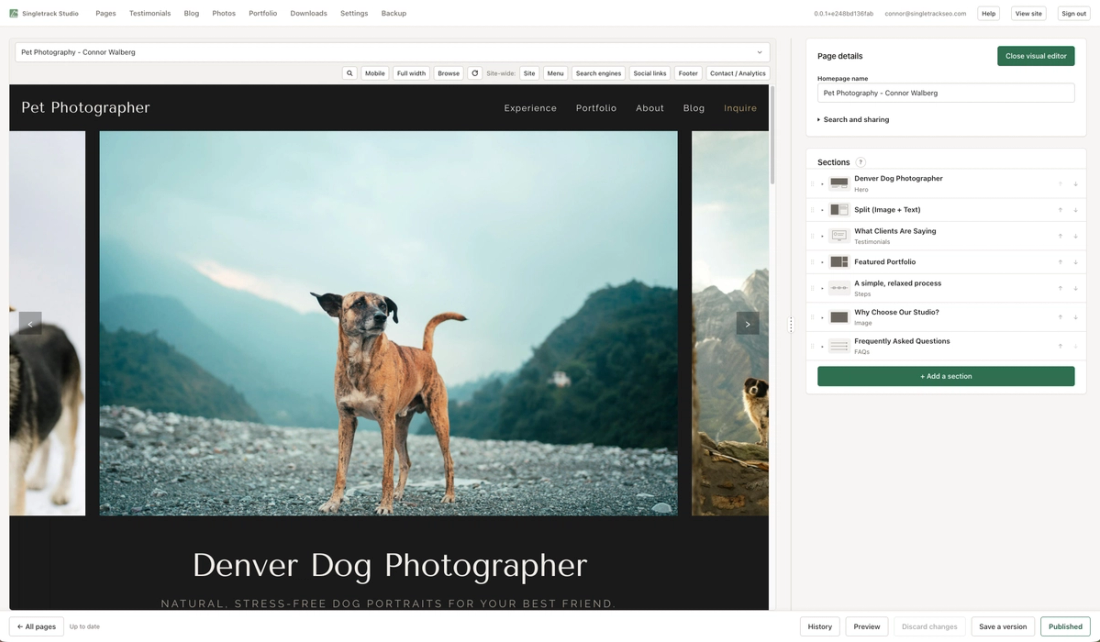
You edit on your actual page, not a form that sort of resembles it.
- Click to edit. Your page sits beside the editing panel. Click any heading, photo or button and you're in the right field, with changes showing as you type.
- See it every way. Switch between Full width and Mobile views, or press Preview to open the page full size.
- Pages built from sections. Heroes, galleries, text, testimonials, FAQs, contact forms, steps and more. Add, reorder, copy or hide them.
- Landing pages. One tick hides the menu and footer for an ad or a single offer.
Nothing gets lost
- It saves as you type. Nothing goes live until you press Publish.
- History and "Recently deleted" let you put back an earlier version or undo a deletion.
- One-click full backup: a single download of your whole site, with every photo as a normal image file.
Built for photographers
- A photo library with descriptions (alt text), tags, and "where is this photo used?"
- Crop right in the editor (hold Shift to keep the shape, like Photoshop), and set a focal point so the important part stays in frame on phones.
- A portfolio with gallery tabs, masonry or justified-row layouts, and a lightbox.
- A blog with categories, and photos and video in posts.
- Testimonials, downloadable PDFs like your pricing guide, and booking, newsletter or application forms from the services you already use.
Your brand
- Color sets that check readability for you.
- Font pairings, or bring your own brand font.
- A choice of menu and footer styles.
AI tools that write in your voice
Build whole pages. Tell the AI what the page is for and it builds the sections, writes all the content and pulls in images automatically.
A site summary it learns from. It builds a summary page of your site and content, then draws on it every time it builds or writes, so the words sound like you and stay consistent.
Alt text in bulk. Generate descriptions for every photo in your library in one pass.
Meta descriptions in bulk. Search descriptions for every page, written for you.
Any section you want written. Pick a section and have it drafted in your site's voice. You edit it like anything else.
Included with your care plan, which is free the first year.
Help when you need it
- A searchable Help center inside the editor, with a "?" beside the trickier screens.
- My Heartbeat community for anything else. That's where you'll find me.
Why photographers are switching
Mobile that just works
Every section is built for phones from the start. Build once and it works everywhere.
“I can't tell you how huge that is. How many times I have worked things around in Pixieset. I'm like, okay, it looks great, and then I click and I'm like, how did that get below the picture?”
— Photographer on a recent demo call
Fast
I reviewed 100+ photographer websites, and only 6% scored "fast" on Google PageSpeed Insights. Singletrack sites score 95+ on mobile.
- Pages are cached on servers around the world, so they load quickly wherever your clients are.
- Photos are resized automatically for every screen. You upload the full-size file and never think about it again.
“It's a way faster loading time than my other one. That's the biggest difference.”
— Carla Jacobson, Coola Creative
Good for Google
- Search titles and descriptions for every page, right in the editor.
- Sharing images for when someone posts your link.
- Sitemaps and structured data, handled for you.
- Redirects for old links, so a move doesn't cost you rankings.
- Your photos are eligible to show up in Google Images.
Safe editing
You work with finished sections, so you can change words, photos, colors and fonts without breaking the layout. Saves happen as you type, and nothing goes live until you press Publish.
Moving without starting over
Pick the $600 option and I move your existing content over for you, with formatting, images and SEO kept intact. I handle your URLs, redirects and domain switch myself so your Google rankings come with you.
Sarah Beth Photography came over from my old platform with a 400+ post blog and 2,200+ photos. All 400+ addresses moved with titles, redirects and structured data matching, so her rankings carried over. Her mobile PageSpeed went from 79 to 95–96 after the migration!
See what's possible
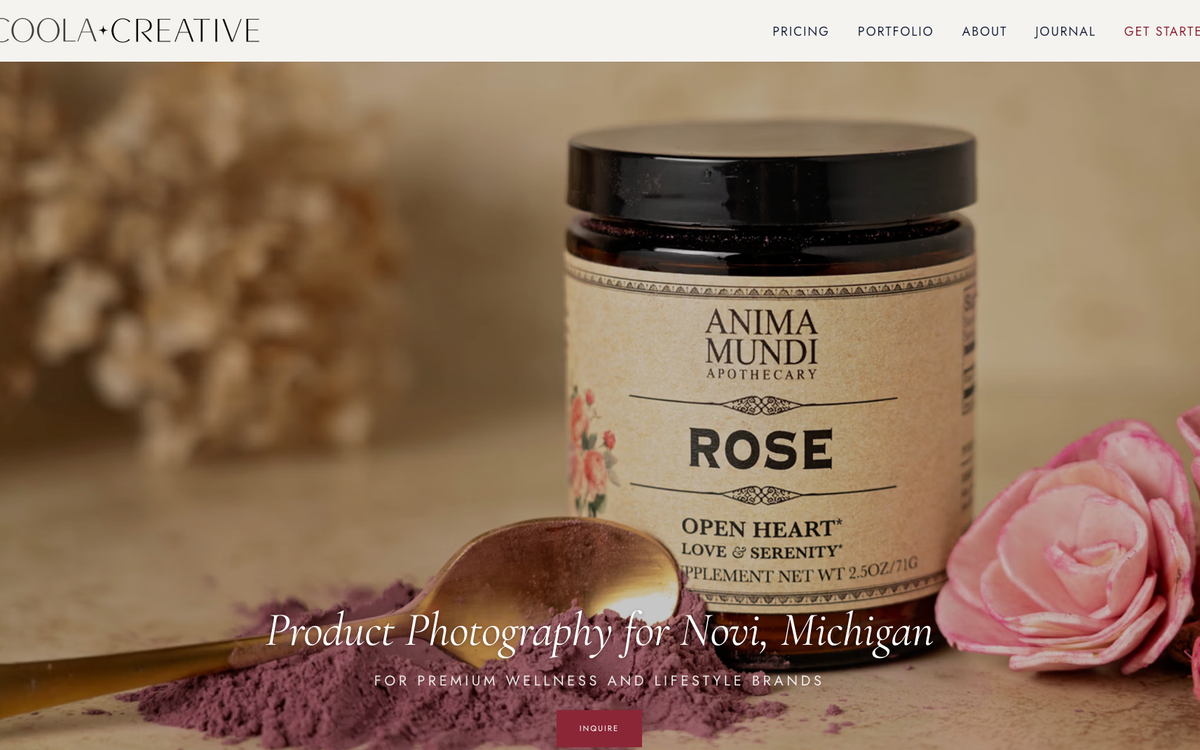
Coola Creative — Carla's product photography site
Carla launched in under two weeks. She figured out the editor on her own. Her husband's reaction when she showed him the homepage: "So, are these stock images?"
Client sites
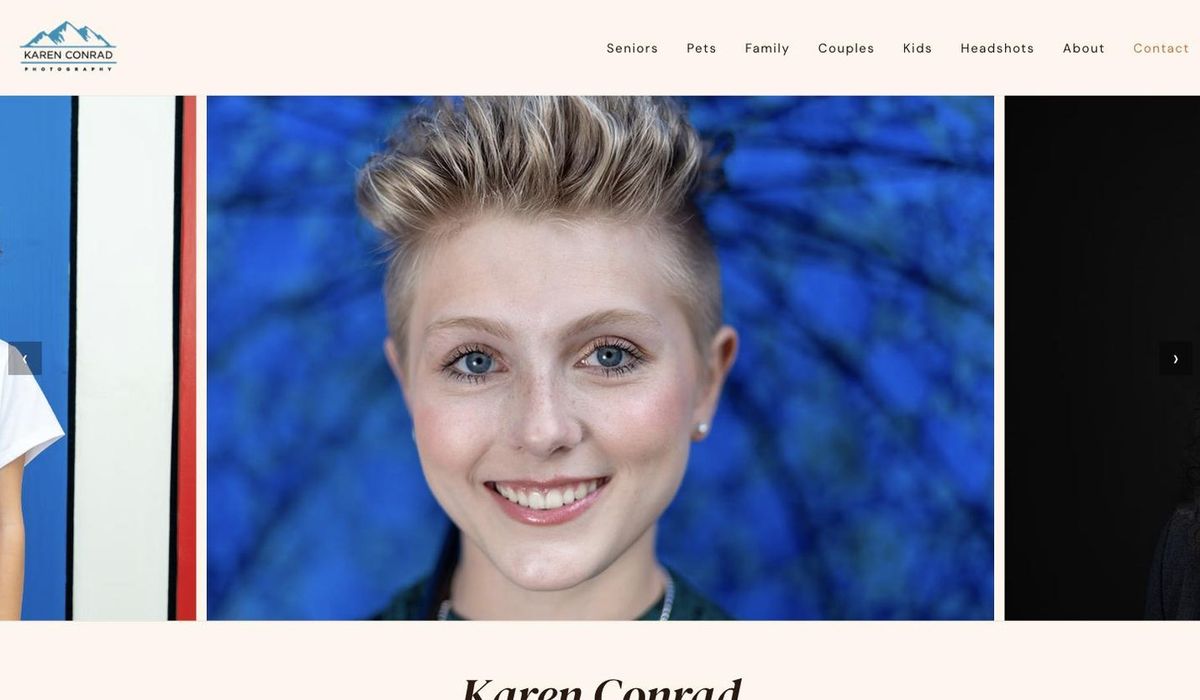
Here are some of the current Singletrack Sites.
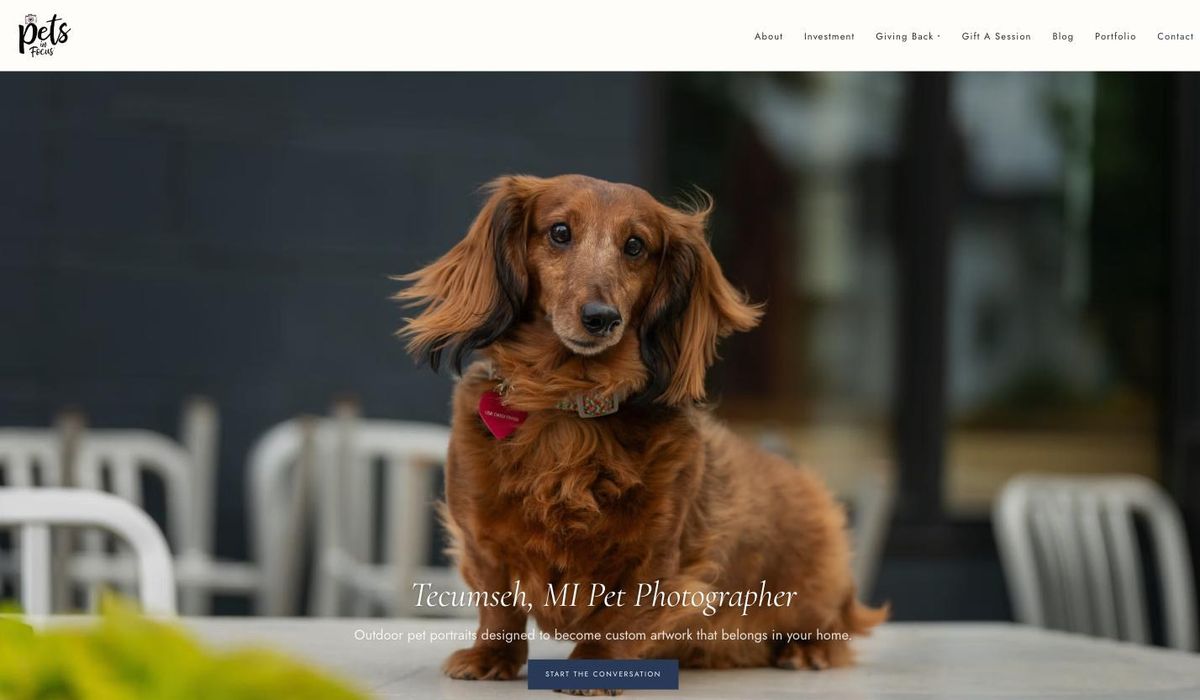
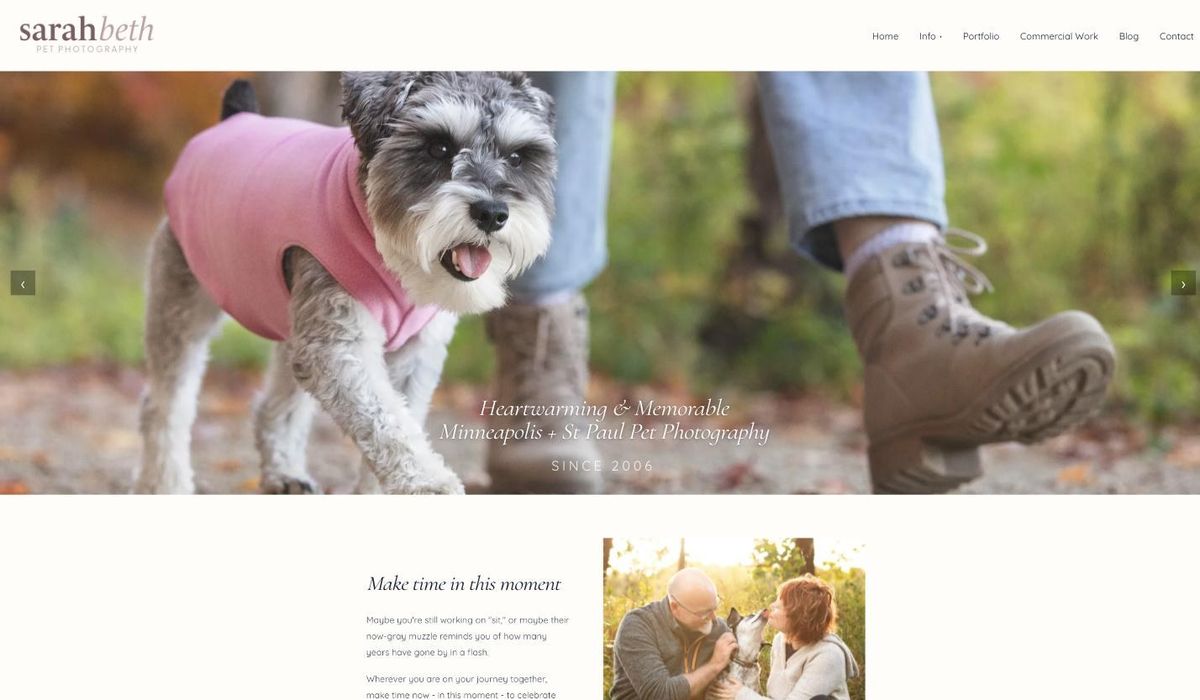
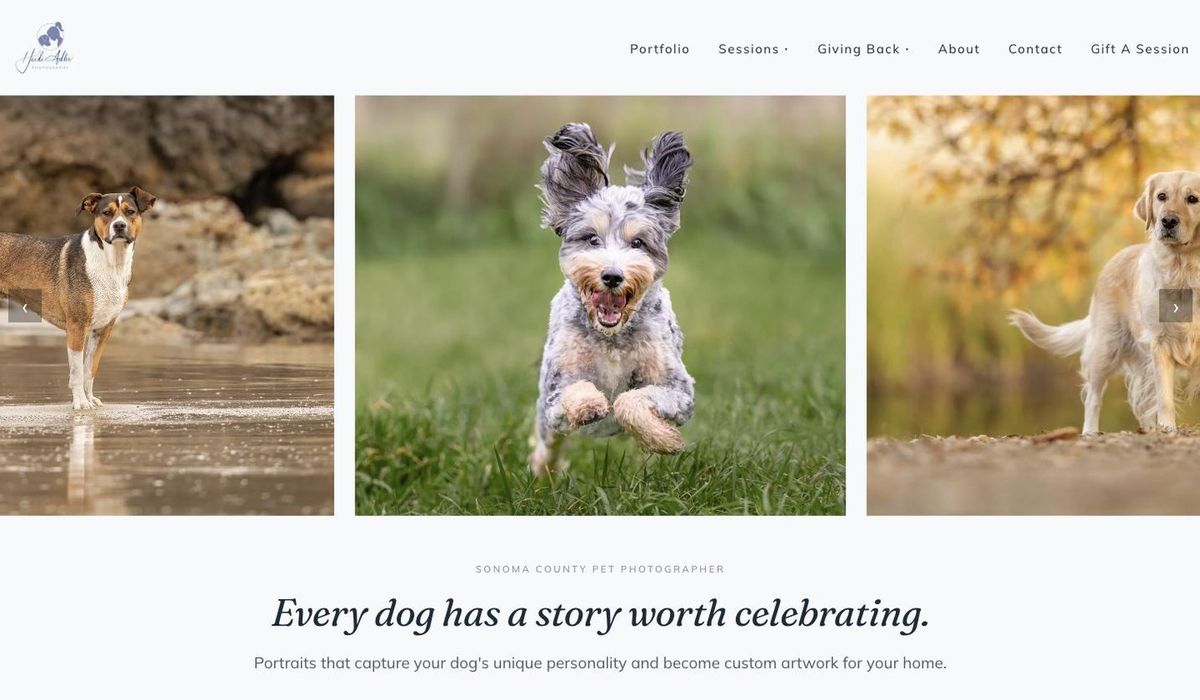
See it in action
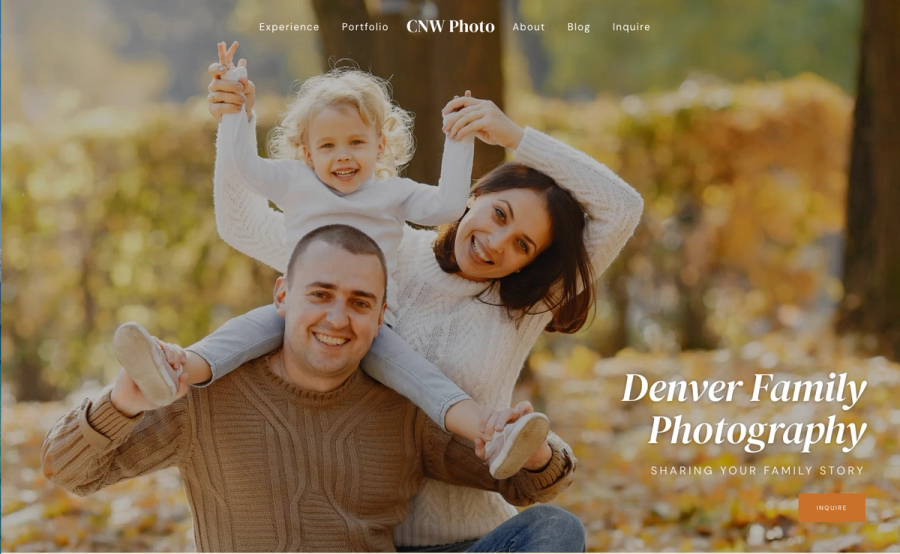
These are three live demos — family, pet, and wedding. They're examples, not limits. Singletrack Sites works for any photography niche — newborns, seniors, real estate, brand, product — with the galleries, blog, and SEO every niche needs. Your niche, your style, the same fast foundation.
Try It Before You Commit
Tell me a bit about your work and I'll set up a working preview — real starter content, built around your niche, ready within a day. No card, no commitment. Free for 7 days.
What it actually costs
| Typical photographer platform | Singletrack Sites | |
|---|---|---|
| Time to launch | 2–8 weeks minimum | 1–2 weeks |
| Initial build | $0 to $900 (template) | $297, or $600 with your content moved |
| Content migration | Do it yourself | Included with the $600 option |
| Monthly platform fee | $20 to $80 | $0 |
| Hosting | Included or extra | Free on your Cloudflare account¹ |
| SEO plugin | $100 to $200/year | Built in |
| Security plugin | $100 to $120/year | Not needed |
| Gallery plugin | $50 to $150/year | Built in |
| Care | n/a | $100/year after year one (optional) |
| 10-year total | $3,600 to $9,000+ | $1,197 ($297) or $1,500 ($600) |
| If you stop paying | Your site goes offline | Your site and editor keep running |
| Do you own it? | No | Yes |
"But Squarespace is only $39 a month"
Squarespace plus the gallery tools most photographers add runs about $36 to $46 a month. Over three years, that's roughly $1,400, and you still don't own anything.
Over the same three years, Singletrack Sites costs $497 if you style your own site, or $800 with your content moved, care included the whole time. The $297 option is cheaper that Squarespace from the first year, the $600 option by the second, and both come with professional setup, a faster site and a site that's yours.
The real cost of most platforms isn't the monthly fee, though. It's paying every month for a site you keep meaning to finish.
About care
Care is $100/year after your first year, and it's optional. It covers platform updates, the AI tools, the built-in Help center and the Heartbeat community. Without it, your site and editor keep running on your own Cloudflare account. You just stop getting updates and the AI tools.
Already on my care plan? Your renewal drops from $180 to $100/year too.
“What happens if you disappear?”
Your site and your editor keep working. Both live in your own Cloudflare account, not on a server I control, so nothing depends on me to stay online. You can keep editing and publishing. You just wouldn't get new updates.
If something ever needs fixing years from now, any web developer can pick up the code, and handoff documentation is built in. And you can download a full backup of your site anytime, with every photo as a normal image file.
Squarespace, ShowIt and Pixieset shut your site off when the payments stop. This doesn't.
“Even if the back-end goes down, I still have a website.”
— Carla Jacobson
How it works
Get in touch
Tell me a bit about your current site. I'll reply within one business day to set up a call or answer questions.
We talk
A 30-minute conversation. I show you Singletrack Sites and we figure out together whether it's a good fit. No pitch.
You pick an option
$297 if you'd like to add your own content, or $600 if you'd like me to move it for you.
Technical setup
You create one Cloudflare account (about 10 minutes, and the walkthrough shows you how). I set up the platform and your starter theme, usually within a day.
Build out your site
With the $600 option, I move your content first, so you're polishing a real site instead of an empty template. With $297, your walkthrough video shows you how to add it. Most photographers spend 4 to 8 hours over a week or two, and I'm around the whole time.
Launch
I switch your domain over myself and set up redirects, so your Google rankings come with you.
What's not included, and what is
Included
- Full technical setup on your own Cloudflare account
- A starter theme for your niche
- Domain switch and redirects, so your Google rankings carry over
- A walkthrough video for your site
- Your first year of care: updates, the Help center and the Heartbeat community
- AI tools: build whole pages, write content, pull in images, and generate alt text and meta descriptions in bulk, all in your site's voice (included with care, free your first year)
- With the $600 option: your content moved for you (up to 15 pages and 40 blog posts, with formatting, images and SEO intact)
Available as an add-on
- Moving a bigger archive than 40 blog posts (priced by count)
- Rebuilding your current design page for page
- Custom design beyond the included themes and color sets
- Ongoing SEO strategy and keyword research
Frequently asked questions
- Do I need to be tech-savvy to use this?
If you can use Pixieset, Squarespace or ShowIt, you can use Singletrack Studio. You click on your page to change it, and drag sections to reorder them. No code.
Setup takes one technical step: creating a Cloudflare account and giving me access, about 10 minutes. Your walkthrough video covers it. After that, you sign in with Google or a one-time code by email. No passwords to remember.
- What happens if you stop working on this platform?
Your site and your editor keep working. Both live in your own Cloudflare account, not on a server I control, so nothing depends on me to stay online. You can keep editing and publishing. You just wouldn't get new updates. If something ever needs fixing years from now, any web developer can pick up the code, and handoff documentation is built in. And you can download a full backup of your site anytime, with every photo as a normal image file.
- Can you move my existing blog posts and SEO?
Yes, with the $600 option. Up to 15 pages and 40 blog posts come over with formatting, images and SEO intact. I handle your URLs, redirects, structured data and domain switch myself so your Google rankings carry over. Sarah Beth Photography moved 400+ addresses this way and kept her rankings.
Bigger archives or a page-for-page design match are quoted before we start. No surprises.
- How is this different from Squarespace, ShowIt or Pixieset?
- You're never locked out. On those platforms, your site disappears when you stop paying. Singletrack sites run in your own account, and they keep running.
- No monthly fee. Those platforms charge $20 to $80 a month forever. Singletrack Sites is a one-time price, plus $100/year for care if you want it.
- Mobile actually works. No building on desktop and then fighting the phone version. Sections work on mobile automatically.
- What can the AI tools do?
They can build an entire page, write all of its content and pull in images automatically. They also generate alt text for your photos and meta descriptions for your pages in bulk, and write any section you ask for. Everything is written in your site's voice.
To stay on-voice, the AI builds a summary of your site and content and pulls from it whenever it builds or writes.
The AI tools come with the care plan, which is free your first year and $100/year after.
- What does the $100/year care plan cover?
- Platform updates and new features as I release them
- The AI tools: page building, writing, images, alt text and meta descriptions
- The built-in, searchable Help center inside your editor
- Membership in my Heartbeat community (member.connorwalberg.com), where support happens
Custom changes, design work and big archive moves are separate, quoted work. Care is optional. Without it, your site and editor keep running on your Cloudflare account.
Already on my care plan? Your renewal drops from $180 to $100/year too.
- What does hosting cost?
Nothing, for nearly every photographer site. It runs on the free allowance of your own Cloudflare account. If your site ever outgrows it, Cloudflare's paid plan is $5/month, billed to you directly by Cloudflare. I never hold your billing.
- Why is it called Singletrack Sites?
Singletrack is a narrow mountain bike trail: one clear path, no clutter. The platform gives you the right pieces in the right order so you're never fighting the tool. It's also part of a family: my company is Singletrack Digital, my SEO service is Singletrack SEO, and the platform is the newest member.
Get in touch
The first step isn't a sales pitch. I want to hear what you're on now, what's bugging you about it, and whether Singletrack Sites actually fixes that. If it doesn't, I'll tell you.
Or email me directly if you'd rather skip the form.